Windows 10 going out of mainstream support has finally motivated me to move away from Microsoft’s offerings for my daily driver operating system. i’ve known this would happen for quite some time, and have been both looking forward to it and dreading it. after all, Windows has been the only desktop OS i’ve used day‐to‐day for my whole life, so i’ve become very familiar with its good and its bad. i’ll talk about that here, plus which Linux OS i settled on, why i chose it, and how it’s been going.
table of contents
- the major problems with Windows
- the minor problems with migrating
- security vs. ideology
- enter atomic Fedora
- rebased af (TODO: make this header less cringe)
- but what about—
- so, how has it actually been going?
- maybe i should write a conclusion
the major problems with Windows
my Windows 10 installation has been troubled for some time. whatever process drives the taskbar / start menu / task view will lock up multiple times a day, requiring me to mash the Windows key to cajole the OS into restarting it. why does this happen? who knows! just like i don’t know why thumbnail generation in Explorer randomly stops working until i restart my PC, or why my external hard drive randomly refuses to eject until i turn off my PC, or why Explorer refuses to maintain the same view and column settings and instead forces me to constantly waste time tweaking the same things i’ve already tweaked dozens of times before, or why i get random glitchy garbage in the top‐left of some of my mpv or browser‐based windows sometimes lately, or why OpenRGB randomly stops controlling my CPU cooler’s lights until i restart it, or any other number of daily annoyances for which i’ll never be able to find a fix because of how difficult Windows issues like these are to debug. or for which no fix is possible by design! like the huge swath of useful everyday characters which you just can’t use in filenames on Windows.
i’m sure some of these things could be resolved at least temporarily by re‐installing Windows, and i will indeed be doing that when i upgrade the installation to a clean Windows 11 installation. but i’m only gonna keep Windows around because i need to, not because i want to. i mean, nobody wants to use Windows 11, surely; Microsoft Copilot being comprised primarily of a technology that’s purpose‐built for deceit is so much worse than Cortana just being useless, the negative impact of the vast nightmare that is Windows Recall might never be truly understood, the death of local accounts should be incensing every government regulator the world over, and like, there are ads in it! ads! in an operating system! no! no
however, all of that is supplementary to the real reason i don’t want to use Windows 11 every day: they won’t let me put the taskbar on the side of the screen anymore. like i’m kind of joking but i’m also so dead serious, that single thing is enough to make me switch operating systems all on its own. all the other atrocities of that OS probably are too but come on i can’t believe anyone with a widescreen monitor thinks bottom taskbar is okay and fine! i will die on this hill. yes i know you can find third‐party tools to futz the taskbar onto other edges of the screen, but rather than hacking away at an ever‐changing black box like that, i’d rather just switch to an open‐source OS which embraces customization by design instead of abhorring it. i’m more than ready to try something new on a secondary SSD now.
the minor problems with migrating
i’ve been maintaining a text document for years where i talk myself through all the issues i’d encounter with migrating to Linux. it’s gotten much shorter over time as more and more of the software i use now is cross‐platform, both because i’ve been preferring to switch to such options and because there are more and better such options to choose from in the first place these days. there are only a few technical exceptions anymore, but i have plans for most of them. for instance, my music player, foobar2000, only supports Windows and is closed‐source. fortunately, an open‐source competitor, fooyin, started development almost 2 years ago and has now become a perfectly viable alternative. (its maintainers are less racist too!) Adobe Premiere Pro will also obviously never support Linux, but i’m hoping Kdenlive will be much more functional on Linux now than the last time i tried it on Windows a couple years ago.
the biggest offenders for cross‐platform software support are, perhaps unsurprisingly, configuration software for closed “gaming” hardware peripherals. i’ve used my Azeron keypad daily since i got it 6 years ago, not long after that business started up, and the software downloads page on their website has said this whole time that Linux “is not supported at this time”. you might think that this would mean they’ll eventually support it, like maybe 6 years down the line, but at this point i’m pretty sure they’re never going to bother. their software and firmware is all closed‐source too, which just goes against the entire ethos of accessibility hardware if you ask me. (not that i regret the purchase — at the time, the Azeron Classic was the only commercial device of its kind in the world — but like, the Keyzen has to be the only “split” columnar programmable ergonomic keyboard i’ve ever seen that doesn’t use open‐source firmware! why even bother?) i’m still not sure what exactly i’m going to do about this going forward. Logitech also chooses not to provide Linux software for my G600 mouse, but there are community‐maintained alternatives that should work.
other cases are ones where replacing my existing tools is inevitable and preferable. i’ll obviously need something besides Bitlocker for full disk encryption, for instance, but that’s as things should be. some other applications i use like WizTree64, WinMerge, AutoHotkey, and simplewall are all purpose‐built for Windows, which makes sense because of how specific you’d need optimized implementations of these tools to be. still, i’m pretty sure i’ll be able to set up equivalent Linux‐native workflows here; i mean, there are dozens of file management apps out there for Linux, for instance. per‐binary firewalls are not so common in this ecosystem unfortunately — though perhaps unsurprisingly as investment in security on the Linux desktop is lower in general — but OpenSnitch is directly comparable to simplewall at least.
actually, let’s expand on that aside:
security vs. ideology
Linux does not implement a sophisticated security model, nor does it employ as many modern exploit mitigation techniques as other desktop operating systems. (don’t take my word for it!) this is the biggest reason i’ve stayed on Windows 10 for as long as i have: i use its advanced‐yet‐accessible security features like controlled folder access (AKA “ransomware protection”), Application Guard, and Windows Sandbox. Windows 11 has further genuine security benefits (which are supposedly why it has the hardware requirements it does? though i believe dropping support for older hardware has ulterior motives and is counterproductive for harm reduction), but these are vastly outweighed for me by how egregiously Microsoft is abusing their monopolistic position with other aspects of the OS. there’s a tipping point where ideology supersedes security, and that differs from person to person, but this is where mine is.
in much the same way, Firefox is less secure than Google Chrome / Chromium in terms of sandboxing and modern exploit mitigations (further reading on this claim once again). i still use Firefox despite this because i believe strongly in the value of tools made primarily for the benefit of their users (please don’t lecture me on Mozilla’s latest nonsense or whatever, they’re still no Google). and also because i still want to use uBlock Origin and other useful extensions despite this not being in Google’s best interest. i know some Chromium‐based browsers include internal content filter lists declaratively instead, but the web is simply too vast and complex for such blacklists to possibly cover everything adequately (a concept sometimes called “enumerating badness”). using uBlock Origin in a block‐by‐default way (as i do) is far more comprehensive. sandbox strength doesn’t matter if i’m never running most javascript in the first place, surely! (but turning it off entirely makes the vast majority of the web useless, so that’s not a good option either.)
it’s not like Firefox can’t be hardened though; in fact, there are several projects that configure the browser to do just that (i use and recommend Phoenix). using customizations layered on top of the underlying software means that you still get security updates directly from the primary maintainers as they’re published, rather than having to wait for the maintainers of a fork to also retrieve, test, compile, and distribute updates from the upstream project themselves. securing highly complex software like modern operating systems and web browsers inevitably requires incredible amounts of resources, so it’s much more sensible to leave the security updates for such things to the big guys and just customize it as‐needed.
incidentally, this is like how the OS i’ve decided to use works!
enter atomic Fedora
cutting‐edge Linux distributions have more usability improvements from adopting more modern technologies, boast improved security by simply pushing upstream updates immediately, and are less likely to suffer issues with more recent hardware. Arch and Fedora are the biggest players in this space, but Arch isn’t a good idea unless you really know what you’re doing (and maybe not even then!), so Fedora seems to be the obvious choice. several Linux technologies i was interested in are used by default in Fedora, including the Btrfs file system, the SELinux security module, and the PipeWire multimedia engine, which works out well for me. KDE Plasma also now has first‐class support as a desktop environment (alongside the usual GNOME workstation), which is great ’cuz that’s the DE i want.
i’m not interested in frozen / “stable” distributions because they lack the aforementioned advantages of rolling‐release distributions. backporting security patches isn’t a good solution for keeping on top of security, for instance: it necessarily delays patches, depends on labour from distribution maintainers, misses some fixes (e.g. low‐profile vulnerabilities without CVEs), and can even create new vulnerabilities! it’s much better to achieve stability by architecting systems that have tightly controlled states which can be easily rolled back in the event of issues with updates.
Fedora’s usual package manager, dnf, already has better rollback capabilities than most other package managers, but Fedora’s “atomic desktops” go even further beyond by letting you roll back the OS itself! similar to more recent versions of Android, an OS update on an atomic desktop creates a whole new OS image behind the scenes, totally separate from the one that’s currently running, which is then loaded on next boot. this completely avoids problems with system failures in the middle of an update, and also enables easy rollbacks if something goes wrong by just booting back into the previous OS image. this preventative approach provides maximal reliability and stability while still allowing all the other benefits of running a rolling‐release distribution. the tradeoff to this approach is that the underlying OS is read‐only, so some customizations require different approaches. i’m fine with this; i’d rather figure out containerized workflows than be able to accidentally bork my OS, which i’ve absolutely done to Linux systems before. and i don’t have much experience with non‐atomic workflows on Linux anyways, so it’s not like i really have to re‐learn a whole lot! like, a common complaint about Fedora Atomic is that you can’t just install software with dnf on the host OS, but i’m not used to doing that in the first place. (and if you have a situation where that’s the only way to install a piece of software you need, you can just make a container to use dnf in, or apt, or pacman — whatever you need, really!)
rebased af (TODO: make this header less cringe)
the appeals of newer technologies and reliable atomic desktops has led me to choose Fedora Kionite in particular for my new OS — their atomic KDE Plasma‐based desktop. however, my choices do not end there! there are a variety of branded customizations available for Fedora’s atomic desktops in order to cater to certain use cases, improve performance, strengthen security, add features, or expand hardware support. these community‐maintained “images” are based on Fedora’s atomic desktops, and “layered” on top of it in such a way that it’s even possible to switch between such images in‐place by “rebasing”. it’s just a simple single terminal command to change out the OS! so i could switch over to plain Fedora whenever i want pretty easily, even from one of these third‐party images.
i’ve decided to install Bazzite specifically. while their branding is all about its gaming prowess, it’s also just attractive as an OS, having several quality‐of‐life tweaks shared by several Universal Blue images like their convenient ujust scripts. plus having games run well without much fuss would be nice. i don’t run a lot of AAA stuff (certainly nothing with incompatible anticheat, given that i wouldn’t run such invasive applications on a Windows PC either), but Satisfactory is definitely a demanding title for instance, and i don’t want to have to learn a lot about CPU schedulers and kernel patches and other stuff to make it perform decently; i’ll just leave all that stuff to the experienced folks maintaining the image i use.
Bazzite’s developers are also making a notable effort to maintain drivers for pre‐Turing Nvidia GPUs despite Nvidia themselves dropping support for them in newer drivers. i’m not planning to upgrade my perfectly functional GTX 1060 anytime soon with how nonsensical GPU prices have been for too many years now, so i need this kind of support. (whenever i do end up upgrading, i guess my options will naturally be narrowed down to exclude Nvidia since i’m sticking with Linux!) not to mention that getting my GPU to work on Linux was already something i was kind of dreading, and especially with plain Fedora where they have a strict free‐software‐only policy, so keeping this simple for me is great.
also Bazzite’s mascot Ametrine is bi and uses she/they pronouns. and KDE stopped using Twitter because it’s full of nazis. does Microsoft still have those contracts with ICE or did they acquiesce after mounting investor pressure? look my point is open source communities are fucking important right now.
but what about—
some people will bemoan Bazzite as being just another “trendy distro” (even though it’s not a distro! it’s a custom image!), but i believe it has real merit that justifies its uptake. there are plenty of other trends i’m passing on, so it’s not a decision made flippantly. i really don’t understand Nobara’s popularity, for instance; it just seems messy and rife with issues compared to other Fedora customizations. CachyOS, Garuda, and EndeavourOS all have the same problem of being Arch‐based, which like, if you’re going to use Arch, you really should just be using plain Arch. (Manjaro is an especially egregious case since they’ve taken a rolling release and delayed all package updates for like 2 weeks??) AerynOS’s mission is admirable, but the devs readily admit it is “alpha quality software” at present. NixOS looks great for people who love NixOS but probably not anyone else, and Lix looks great for lesbians i think. Pop!_OS’s main appeal is the COSMIC desktop, but you can just get that on Fedora. and i won’t even bother with anything else based on Ubuntu, let alone anything from Canonical itself.
in terms of rolling‐release distributions, openSUSE Tumbleweed is probably third‐place in terms of popularity, and it’s ultimately very similar to Fedora. i would recommend it to anyone who really doesn’t want to use an atomic distribution for whatever reason, though of course i think it’s just a better idea to use an atomic system. openSUSE does have an atomic distribution with Aeon, but if you want an atomic distribution anyway, i don’t see much reason not to install an image based on Fedora. for relative newcomers like me, the volume of community support and resources is important, and Fedora just has significantly more of that with their atomic distributions in particular compared to openSUSE.
yes, i’m aware of secureblue; it seems to be to Linux what GrapheneOS is to Android (and indeed both projects seem to collaborate somewhat), trying to provide a maximally secure OS without compromising user experience. you could say i admire this goal, given that i already only run GrapheneOS on my mobile devices. however, in contrast to GrapheneOS, which lets me run whatever Android apps i want to use just fine, secureblue’s developers explicitly tell users not to use popular Electron‐based software (e.g. Signal, VSCode, Discord, Slack, FreeTube) on their OS at all. that’s a pretty significant compromise to the user experience if you ask me! i need to be able to use Signal on my PC; that’s not negotiable from an accessibility perspective. so secureblue unfortunately isn’t for me, at least as things are. if it supports rebasing again in the future, it’d be easy for me to try it out since it’s also based on Fedora’s atomic desktops, but i have no idea what the situation with that is now.
i did install secureblue’s Chromium‐based browser, Trivalent (in a Fedora Distrobox), which i’ll use whenever i strictly need a Chromium‐based browser. i use Vanadium on GrapheneOS in much the same way. previously i used Vivaldi on Windows, but i did not enjoy it, so i’m glad to have a better alternative on Linux. speaking of actually using software on Linux, though:
so, how has it actually been going?
most of the above text was written out before i even installed Bazzite. i’ve been using it almost exclusively for a few weeks now, and i’m still nowhere near done acclimating to it and setting up new workflows, but the experience has overall been about what i expected. this is good, because my outlook was largely optimistic. several applications i use explicitly support exporting and importing data and settings, like KeePassXC and FreeTube, and in a lot of other cases i could still move the application data over without any trouble, including for Firefox, Thunderbird, mpv, VSCodium, and Signal (well, almost). so some stuff was pretty straightforward! and then some stuff was decidedly not, and unfortunately there’s no real way to know beforehand how this luck will shake out when it comes to different workflows and to predict what will work and what won’t.
installing and using software
setting up a Phoenix‐managed Firefox installation (and a Dove‐managed Thunderbird installation) was not trivial, giving me a real trial by fire since setting up a good web browser is the first thing i wanted to do on a new OS. they do support system Flatpak versions of Mozilla’s software, but the installation method is still just a package rather than a Flatpak extension, and layering the package on top of the OS image didn’t even work when i tried it anyway. instead, i’ve installed the software and configurations in a Distrobox. this generally works great, except for how all those windows now have generic icons within the DE instead of Firefox/Thunderbird logos. i also don’t have communication between KeePassXC and its browser extension working, and judging by the length of this troubleshooting guide, i’ll need a few hours deep in the weeds poking holes in containerization to potentially make any headway there. (installing KeePassXC inside the Distrobox isn’t a good option either, not the least of the reasons why being that it can’t see my YubiKey from in there.) similarly, the LibRedirect extension can’t open YouTube links in FreeTube for me, which isn’t so crucial but is also inconvenient and daunting to fix. oh and i need to figure out why a lot of Unicode characters just show up as codepoints in this Firefox install, and why i can’t do video streams on Discord (they appear to work, but i’m told they never load for other call participants).
the best method of installing and using software overall has been using Flatpaks, which are generally nice and painless, but there are still ample issues to run into. the Signal Flatpak seems somewhat troubled unfortunately; HEVC video attachments just don’t play at all, and there’s also some funkiness with notifications and adding attachments. it also doesn’t render all special characters properly either, so my preferred 〜⁎✧𝆯❈ sarcasm glitter ❈𝆯✧⁎〜 has some boxes in it now. AntiMicroX didn’t even start until i disabled Wayland in its Flatpak permissions, and this seems to be a well‐known issue, yet the Flatpak still doesn’t ship with Wayland disabled. several recording formats in the RetroArch Flatpak are silently broken, and the fix from the Flatpak maintainers was just to change the default recording setting to something else that did work rather than actually adding the missing libraries.
even some video game source ports even have Flatpaks, like Quakespasm. i did notice that the GZDoom Flatpak was not being updated in a very timely fashion (taking half a year to build and ship the newest version), but this wasn’t of great concern to me given that i stopped using it almost entirely years ago. however, this did lead me to discover that GZDoom itself is now legacy software. awesome! unironically! i think the future for UZDoom looks bright.
video gaming
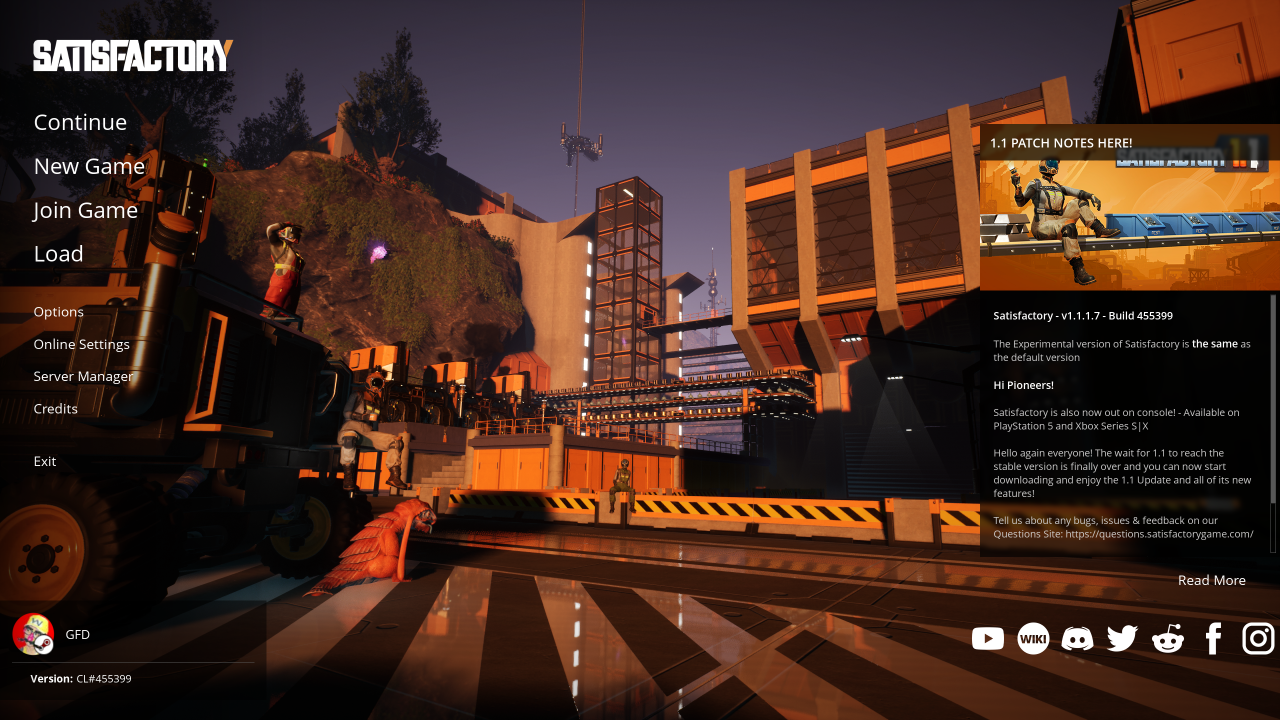
i played Satisfactory for a few hours with a friend by pressing the big green “Play” button in Steam, and it ran just fine! performance was not noticeably degraded, and there were no problems playing online together. but there were some other issues still. Satisfactory’s “experimental” vulkan renderer has way darker shadows than its recommended DirectX 12 renderer, for some reason, and this did make it significantly more difficult to navigate our poorly‐lit and poorly‐organized factory. using the latter API wasn’t feasible though, since doing so slashes off a third of my FPS due to the necessary translations. i also couldn’t paste text into the game for whatever reason, so i had to manually type in my friend’s session ID, and my control customizations from Windows i guess just weren’t part of the game’s cloud save ’cuz i had to set those up again.

oh, and when i opened OBS to capture the game for replay buffer purposes, i found the game capture source did uhhh, nothing. turns out you have to set an environment variable or run a program in the launch options for every game on Steam that you want to capture. i later wanted to game capture RetroArch for these posts i made, since using a desktop capture dropped way too many frames to be useful. it took me a while to figure out that, while there is a Flatpak extension you can install for the freedesktop runtimes, RetroArch uses a kde runtime instead, so this solution doesn’t work here. i ended up just enabling access to system libraries to get it to work, even though this really doesn’t seem like a “proper” solution for this. i guess ideally there would just be more extensions for more runtimes, but i dunno how to make those! it’s also annoying that whenever RetroArch changes its rendering context by changing video modes or starting a different game, OBS loses track of it and i either have to restart OBS or re‐create the game capture source to get it to work again.
system stuff
on a system level, there have been occasional hurdles, the first of which was trying to fix the gamma curve on my one monitor which is so ridiculously out of whack for some reason. Windows has a wizard for modifying just this, but this system doesn’t, so instead i found some icc profiles someone made to let me do this instead. the KDE taskbar does crash and reload sometimes, most often when i’m doing a lot of futzing around with configuring stuff, but it’s still a big improvement over the Windows situation since it doesn’t just crash all the time for no reason, and it reloads much faster and without me having to cajole it into doing so. by default, clicking “Shut Down” pops up a confirmation screen that’s supposed to automatically confirm after 30 seconds, but this didn’t seem to work; i left it ticking down when i left in a hurry once, and when i came back later it was still powered on, sitting on that confirmation screen with the timer having vanished. i just disabled the confirmations since they weren’t of much use to me anyway. i also had the system fail to wake from sleep once, but just the one time. and honestly i’m pretty sure i’ve had that happen with Windows once or twice too. there was also a one‐off issue where my Wi‐Fi stopped connecting and i had to wipe and re‐create its network configuration. (huh, and i just randomly got a pop‐up for the Wi‐Fi password while i was proofreading this blog post, so i guess there’s still something funky going on there…)
oh, and pretty much since i set this install up, it’s been telling me that when the PC reboots it’ll enter a firmware setup screen, and it’s never done this. i guess it’s trying to install some kind of UEFI firmware update, but it’s not working? i haven’t figured that one out yet. i do love that the OS is at least trying to automatically update everything from packages to the OS to firmware every day for me though! i always hated having to manually update packages in the terminal on other systems. one other issue that i don’t really care about is that it’s not possible to boot into Windows from the GRUB menu because of how they interact with the TPM, so i can only get into Windows from a cold boot by mashing the boot menu key, but i’m booting into Windows so rarely now anyways.
i can’t install the VPN software i’d normally use without layering with rpm-ostree, and i want to avoid layering as much as possible. fortunately, you can just import Wireguard configurations into NetworkManager, easy peasy. this doesn’t offer all the features that the dedicated VPN software does though — most notably split tunneling, so i guess whenever i need to do that i will have to layer VPN software? or maybe more VPNs will come out with functional Flatpaks, one can dream. the Bazzite docs also suggest using Tailscale and like, i can’t make heads or tails of what that even is or what it does or how it works or if i have to pay for it to use it?? oh, and i’d also have to layer OpenSnitch whenever i want to deny network access on a per‐binary basis i suppose (it’s particularly nice to do this with games that i’d rather keep completely offline).
full disk encryption was easy to set up since it’s right in the installer. there’s a ujust command to set up TPM unlocking, but i prefer to type in the unlock passphrase and then have my user account log in automatically. (as a long‐term project, i’d like to see if i can get FIDO2 unlocking with my YubiKey to work, so i can feel like i live in the future.) it was a bit of a challenge as a Linux newbie to figure out how to auto‐mount the Windows Bitlocker‐encrypted drives as read‐only to easily copy files over from them, but i did figure it out on my own! well, as much as liberally searching the web counts as “on one’s own”, anyway. though i do also read man pages, to be clear! i never blindly type in commands i find on the internet without first checking the documentation to understand what they do. uhh if anyone finds this page through web searches and wants to know how to do this themselves, i believe this song and dance goes like this:
- save a plain text file containing the 48‐digit Bitlocker recovery key (with hyphens — the file should be 55 bytes) to
/etc/cryptsetup-keys.d/WINDOWS_C_DRIVE.key- for good measure, lock down its permissions to be read‐only by root only:
sudo chown root:root /etc/cryptsetup-keys.d/WINDOWS_C_DRIVE.keyandsudo chmod 400 /etc/cryptsetup-keys.d/WINDOWS_C_DRIVE.key
- for good measure, lock down its permissions to be read‐only by root only:
- take the “PART_ENTRY_UUID” field from the output of
sudo blkid --probe /dev/…(get the device path for the partition you want from your Disks app) and plug it into the “PARTUUID” section of a new line in/etc/crypttabthat looks like this:WINDOWS_C_DRIVE PARTUUID=12345678-1234-1234-1234-123456789ABC /etc/cryptsetup-keys.d/WINDOWS_C_DRIVE.key bitlk,read-only - add a new line to
/etc/fstabthat looks like this:/dev/mapper/WINDOWS_C_DRIVE /mnt/WIN_C ntfs ro,suid,dev,noexec,auto,nouser,async,nofail
i strongly recommend mounting NTFS drives as read‐only, since writing data using NTFS drivers not made by Microsoft is always risky. (my memory also tells me that mounting an NTFS drive as read‐write with at least some Linux systems or drivers would always mark the drive as “dirty” to tell Windows to check its integrity, which would be annoying to sit through every time you boot back into Windows. these memories are from over a decade ago though, so maybe this is no longer true, or maybe it was never true!) it’s also just funny to slowly supplant your Windows install while Windows has no way to know what you’re up to.
btw, dude, PipeWire rules. one thing i was particularly excited for when moving to Linux was the idea of having a more modern audio engine at my disposal, rather than having to mess with buggy and poorly‐maintained third‐party software to wrangle Windows into having virtual audio sinks. PipeWire works exactly like i hoped it would and i couldn’t be happier. it’s so easy and painless to just patch stuff using coppwr, and Bazzite even comes with a ujust script to set up some named virtual channels for you!
hardware finagling
hardware support has been shockingly good overall, by which i mean literally better than Windows. i mean, Bluetooth audio just works! incredible! it’s never worked on Windows for my headset. like, it does if i have something playing before i connect it and then i never pause it, but as soon as there’s no audio being transmitted the connection is just silent forever?? it’s so weird and it’s just not a problem i have to deal with anymore which is so nice. controller support also doesn’t have weird problems like my Switch Pro Controller creating a DirectInput device with garbage inputs when connecting it via USB, and i don’t have to futz with replacing drivers to get my GameCube controller adapter to work either (and the udev rule it needs is even set up by default!).
i use an Ergodox EZ keyboard with QMK firmware that i’ve heavily customized, and one of its features that i use heavily is typing Unicode characters directly, which worked out‐of‐the‐box on this system in some apps and seems to work everywhere after starting ibus. this has proven to be far more reliable than the janky WinCompose setup that’s necessary on Windows. my Logitech G600 mouse has a weird bug where it just sometimes decides that the vertical sensitivity will be halved now; i fixed this on Windows by opening a specific tab within the Logitech gaming software or whatever it’s called, and thankfully changing the report rate or something in Piper also fixes this on Linux. Piper also works great for configuring all the on‐board profiles, and without that bloated UX‐feel that plagues Logitech software! (the only issue i’ve run into is that it took me a bit to figure out that you can’t use the right meta key in macros for some reason, because the assignment in Piper just silently fails in this case.)
surprisingly, OpenRGB actually has a problem here that i didn’t suffer on Windows. i had been using it with a “hardware sync” plugin which lets me change the colour of the lights on my CPU cooler (which i didn’t realize even had coloured lights on it when i bought it) to scale with how hot the CPU is. i can’t do this on this system now ’cuz the plugin just doesn’t install, no matter if i try to use the AppImage or the Flatpak. this isn’t a huge deal ’cuz i added a CPU core usage visualization widget to my taskbar, which is more information than the coloured lighting gave me, even if it’s not quite the same information.
the big fish here is my Azeron Classic keypad, though. after some trial and error, i managed to get the Azeron Software to work by creating a Bottle with the “gaming” preset and the latest base Kron4ek runner. so, awesome! i don’t even have to sacrifice the convenience of the Azeron Software! there’s just one problem: the actual joystick devices don’t work. the Azeron Classic is a composite of 5 USB devices: XInput, keyboard, mouse, DirectInput, and a raw device used by the Azeron Software. the keyboard, mouse, and raw device work just fine, but to make a long story much shorter, i discovered the XInput device isn’t being assigned a driver at all, and the DirectInput device is being assigned an XInput driver. basically, only an “XBox One” controller shows up for joystick control, and it doesn’t even work. presumably a udev rule could fix this, but i have no idea how to make one! so this remains unfixed at present.
edit 2025-11-29: i’ve learned enough about manual driver binding and udev to get the XInput device to work. it seems that, for Steam to recognize it, one must also unbind the usbhid driver from the DirectInput device. i created /etc/udev/rules.d/99-azeron-classic.rules with this line: ACTION=="add", ATTRS{idVendor}=="16d0", ATTRS{idProduct}=="0f3f", RUN+="/bin/sh -c 'echo $id:1.3 > /sys/bus/usb/drivers/usbhid/unbind'", RUN+="/sbin/modprobe xpad", RUN+="/bin/sh -c 'echo 16d0 0f3f > /sys/bus/usb/drivers/xpad/new_id'"
maybe i should write a conclusion
for as many dumb little problems i’ve had with my Linux setup so far, there are also all manner of things that are way better than Windows just by default. and like, my workflows are pretty unusual (Azeron hardware is ultimately very niche for instance), so i expected the kind of friction i’ve been running into. but my experience with Bazzite has led me to believe firmly that most people could switch from Windows to this OS just fine; i mean, you can even get Spotify and Google Chrome on Flathub for goodness sake. i ultimately still know very little about how Linux works, but i don’t need to know much in order to use it! so i don’t think that’s a requirement for anyone else either.
at this point, i’m struggling to think of reasons to even bother keeping Windows around. my plan was to eventually do a fresh install Windows 11 on that drive once i’m done migrating, but like… what would i even use it for? the only thing that it would be strictly necessary for in my case is testing software/games i would make. oh, and maaaaybe for my speed game. that is, unless i get it working fine under Linux; i know the rules on SRC say “usage of WINE or virtual machines is not permitted” right now, but i write those rules :)